
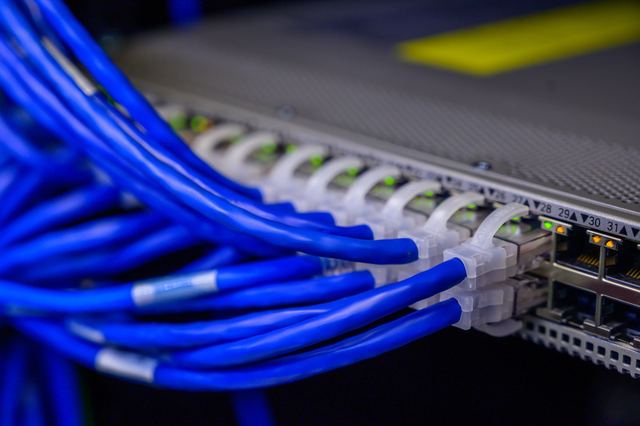
Wired or wireless?
Wi-Fi is fine for phones and laptops that move around the house. A cable is better for anything that sits still and matters: a work computer, a games console, the TV, and especially the Wi-Fi access points.
Brick and concrete walls, foil-backed building paper and long, spread-out houses all weaken Wi-Fi. A couple of access points wired back to the router usually fix a dead zone better than a bigger router does.
Plan it before anyone drills
Pick the hub
Choose one spot for the fibre connection, the router and any network switch: a hall cupboard, the garage wall, under the stairs. Every cable runs back here, so it needs power and some airflow.
List the rooms
The office, the lounge TV, any bedroom that might become a study, and ceiling spots for access points. Adding a second point in a room is little extra work while the cabling's going in, and a lot more later.
Think about TV
If you want an aerial or satellite feed in more than one room, the coax cable can go in at the same time. TV aerials covers the aerial side.
Label everything
Each point should be numbered at the wall and at the hub, and the numbers should match. Unlabelled cables turn every later change into guesswork.
Which part needs an electrician?
Network cable carries data, not mains power, and many people who run it aren't electricians. The parts that are prescribed electrical work are on the power side: an outlet at the hub, power behind the TV, and anything that adds or extends your wiring.
An electrician who does data work can handle both in one visit, and knows to keep data cable apart from power cables so you don't get interference. If an extra power point goes in, that comes with an Electrical Safety Certificate (ESC), plus a Certificate of Compliance (CoC) if it's new or extended wiring. None of it is high-risk work.
Cutting into finished walls
In a finished house, cables go through the ceiling, under the floor and down inside wall cavities. Those cavities already hold power cables, which is one more reason to use someone who knows what's behind the plasterboard before cutting a hole.
In older homes with lath and plaster walls, or with no ceiling or underfloor access, some runs may have to go on the surface in a neat duct. Ask how each run will be done before you agree, so nothing on the finished wall surprises you.
Your part, and the electrician's part
You can
- Set up the router, mesh units and devices.
- Plug in network switches or powerline adapters.
- Decide where each point goes, and mark it on the wall.
- Clear the cupboard you've chosen for the hub.
Leave to a licensed electrician
- Power points at the hub, behind the TV, and anywhere else new outlets are needed.
- Any new circuit, and its RCD at the switchboard.
- Anything inside the switchboard.
- Any of the power-side work in a rental, where landlords and tenants can't do electrical work.
In the quote, look for
- The number of points, and which room each one is in.
- The cable type for each run.
- Where the hub goes, and what's in it: patch panel, switch and power.
- Labelling at both ends of every cable.
- Testing of each point, with results you can keep.
- Any power points or other electrical work, and the certificate that comes with it.
Who we'd match you with
Tell us what you're after and your postcode. We'll match you with one licence-checked local electrician who does data and AV work as well as power, so the cables and the outlets get planned together. If you only need cable and no electrical work at all, say so: a data-only installer may be the simpler fit.

How we'd wire it
If you're building or renovating, we'd run data cable to every room you might work or watch TV in, plus ceiling spots for access points, while the walls are open. In a finished house, we'd wire just the two or three places that really matter and let good Wi-Fi do the rest.
Want a specialist to sort it?
Tell us the job and your postcode. We match the licence-checked local electrician who does this kind of work, and they call you. No ring-around, and your number goes to them alone.